


7 Best Cheap Windows VPS with 8GB RAM (2026 Tested)
Looking for a cheap Windows VPS with 8GB RAM in 2026? We tested 7 providers — VPS Mart, Contabo, InterServer, Cloudzy, CheapWindowsVPS, DigiRDP, and Kamatera — for one month and ranked them on value, support, stability, and ease of use. Find out which affordable Windows VPS actually delivers on its promises, which ones hide fees in the license cost.
Finding an affordable Windows VPS with 8GB RAM under $20 sounds straightforward in 2026 — until you compare real specifications, licensing costs, bandwidth limits, and long-term reliability. Cheap VPS 8GB RAM offers exist across the market, but the reality is more complicated than the headline price suggests. Whether you are searching for the best cheap Windows VPS for trading, business automation, or a remote desktop environment, this guide breaks down every option so you can confidently buy cheap Windows VPS hosting without regret.
Below is our newest hands-on comparison of VPS 8GB RAM providers — tested by our engineering team for one month — covering everything from VPS hosting 8GB RAM performance to support quality, so you can find the right Windows VPS 8GB RAM plan for your budget.
8GB Windows VPS — Side-by-Side
All prices are monthly list prices including Windows Server license where applicable. No promotional discounts applied.
| Provider | CPU | RAM | Storage | Bandwidth | Price/mo | Trustpilot | Best For |
|---|---|---|---|---|---|---|---|
| VPS Mart Best Value | 4 vCPU | 8 GB | 140 GB SSD | 200 Mbps Unmetered | $18.99 | ★★★★ 4.3 | Best all-round value |
| InterServer | 2 vCPU | 8 GB | 160 GB SSD | 8 TB transfer | $20.00 | ★★★★ 4.3 | Budget US hosting |
| Contabo | 4 vCPU | 8 GB | 100 GB SSD | Unmetered | $18.20–$21.35 +fees | ★★★★★ 4.5 | Max specs / self-managed |
| Cloudzy | 4 vCPU | 8 GB | 240 GB | 7 TB @ 40 Gbps | $52.95 No Win license | N/A | High-speed network |
| CheapWindowsVPS | 4 vCPU | 8 GB | 120 GB NVMe | Unmetered | $28.00 | ★★★★ 4.3 | Entry-level RDP |
| DigiRDP | 6 vCPU | 8 GB | 120 GB SSD | 1 Gbps | $33.99 | ★★★½ 3.8 | High-core RDP tasks |
| Kamatera | 4 vCPU | 8 GB | 60 GB NVMe | 5 TB | $60.00 | ★★★★ 4.2 | Flexible cloud / hourly billing |
🗓 All prices last verified: July 29, 2026
Why Windows VPS Costs More Than Linux
Looking at the market, nearly every Windows VPS offer starts above $10/month. At the same spec level, a Linux VPS can often be had for under $10. The primary driver of this gap is the Windows Server license fee, which adds $9.90–$64/month depending on the provider — as confirmed in our detailed Windows VPS hidden costs breakdown.
Some providers offer a workaround: Linux desktop environment VPS — a Linux server pre-installed with a graphical desktop (like Ubuntu Desktop), accessible via Remote Desktop just like Windows. This sidesteps the license fee and works well for many general tasks.
Linux Desktop VPS — Good Alternative
For most remote desktop, development, and web tasks, a Linux desktop VPS delivers a similar experience at a lower price point. No Windows license fee required.
When You Must Have Windows
Windows-only applications, Office automation, enterprise software, legacy systems, and trading platforms that require genuine Windows environment cannot be substituted. Here, paying for a Windows VPS is unavoidable.
That is why a cheap 8GB VPS running Windows is the sweet spot for most users: enough resources for MT4/MT5 trading platforms, business software, automation scripts, and remote desktop — without the cost of a dedicated PC or high-tier server. If you are looking for a VPS recommendation that balances price and reliability, the 8GB VPS tier with Windows is where we consistently point people.
How We Tested & Scored
Our engineering team and a VPS first-timer ran each affordable Windows VPS provider for one month to evaluate them from both an expert and beginner perspective. We specifically focused on the cheap Windows VPS segment — plans with VPS 8GB RAM — since this tier attracts the widest range of users, from developers to forex traders. Scores are weighted as follows:
Note: All prices listed are standard monthly rates including Windows Server license fees where applicable. No promotional pricing.
Provider Deep Dives: Beyond the Spec Sheet
The quick comparison covers hardware specs. Here we examine what VPS hosting 8GB RAM providers won't tell you upfront — support quality, real-world stability, renewal pricing, and control panel usability. If you've been comparing providers like CheapWindowsVPS or looking for a Kamatera alternative or Contabo alternative that includes US-based support, this section is where those differences become clear.
Offers a 99.9% uptime guarantee. During our 1-month test running 3 MT5 terminals (4 EAs each), average CPU usage stayed around 60% and RAM around 70%. There were 1–2 brief disconnects — reconnecting resolved them immediately. No prolonged downtime. Acceptable for this price tier.
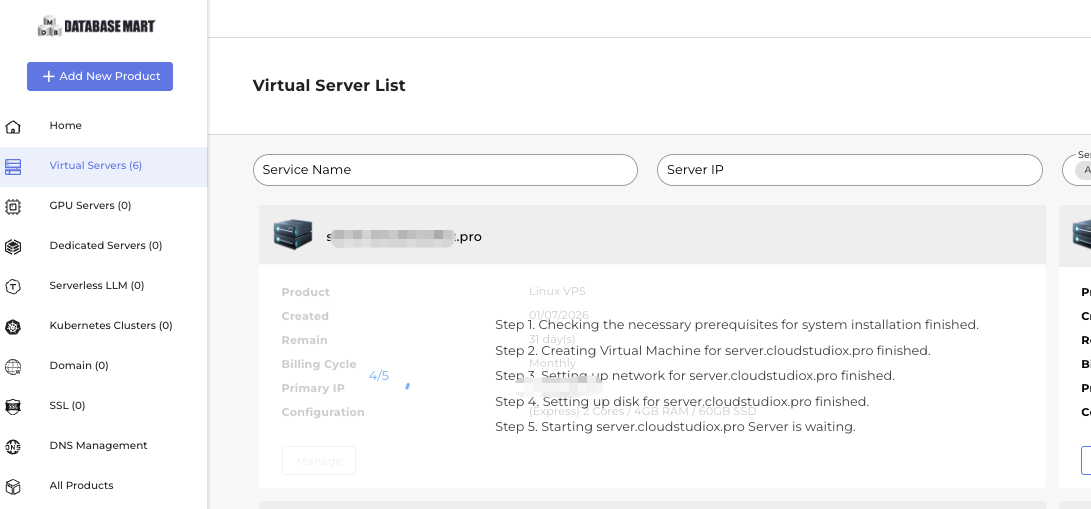
One-click deployment for MT4/MT5, SQL Server, Odoo, cPanel, and CloudPanel. The control panel is clean and beginner-friendly, with prominent Start / Stop / Reboot controls. Supports AI agent hosting via OpenClaw VPS option at order time.
24/7/365 support. In our tests across different time zones: live chat first responds via AI, then human pickup typically within 5 minutes. Ticket average under 2 hours. Ranked highest for overall responsiveness among all 7 providers tested.
Operating in the US since 2014. Trustpilot score 4.3/5, with most reviews citing strong price-to-value ratio. Moderate visibility on Reddit r/webhosting. When issues arise, human support is consistently reachable.
✅ Pros
- Windows Server license included — no hidden fees
- Renewal price matches sign-up price (no hike)
- Fastest support response in our 1-month test
- Own hardware; US-operated since 2014
- Backup included on all plans
- 24-hour free trial, no credit card required
❌ Cons
- Only 2 US nodes — no international locations
- Fewer public reviews than larger providers
- No hourly billing option


InterServer
InterServer is a US-based hosting veteran founded in 1999, headquartered in New Jersey with all data centers in the US. It focuses on web hosting, VPS, dedicated servers, and colocation for SMBs, developers, and individual users.
Overall reliability was solid during testing — suitable for personal use, SMBs, and long-running Windows environments. Not recommended for mission-critical workloads requiring maximum uptime without a backup plan.
The Console Panel covers everyday tasks: power on/off/reboot, OS reinstall, and IP management — without needing to contact support. Design is functional but dated.
Claims 24/7 support, but in practice quality varied considerably depending on the technician. The tradeoff appears to be high specs at lower cost, but reduced support quality. Acceptable for the price, but not reliable for urgent issues.
Positive reviews focus on value. Negative reviews concentrate on support experience. Notably, Reddit's r/VPS community has cautioned against InterServer for serious business use.

✅ Pros
- Strong price-to-specs ratio at $20
- Founded 1999 — mature infrastructure
- Stable Windows VPS for long-running workloads
- Full-featured Console Panel
❌ Cons
- Support quality inconsistent
- Not suited for high-SLA critical workloads
- Limited global data center coverage
- Control panel design feels dated


Contabo
99.9% SLA with no financial compensation clause — if your server goes down, you won't receive billing credits. Our 1-month test showed acceptable performance under low load, with occasional brief disconnects but no extended outages.
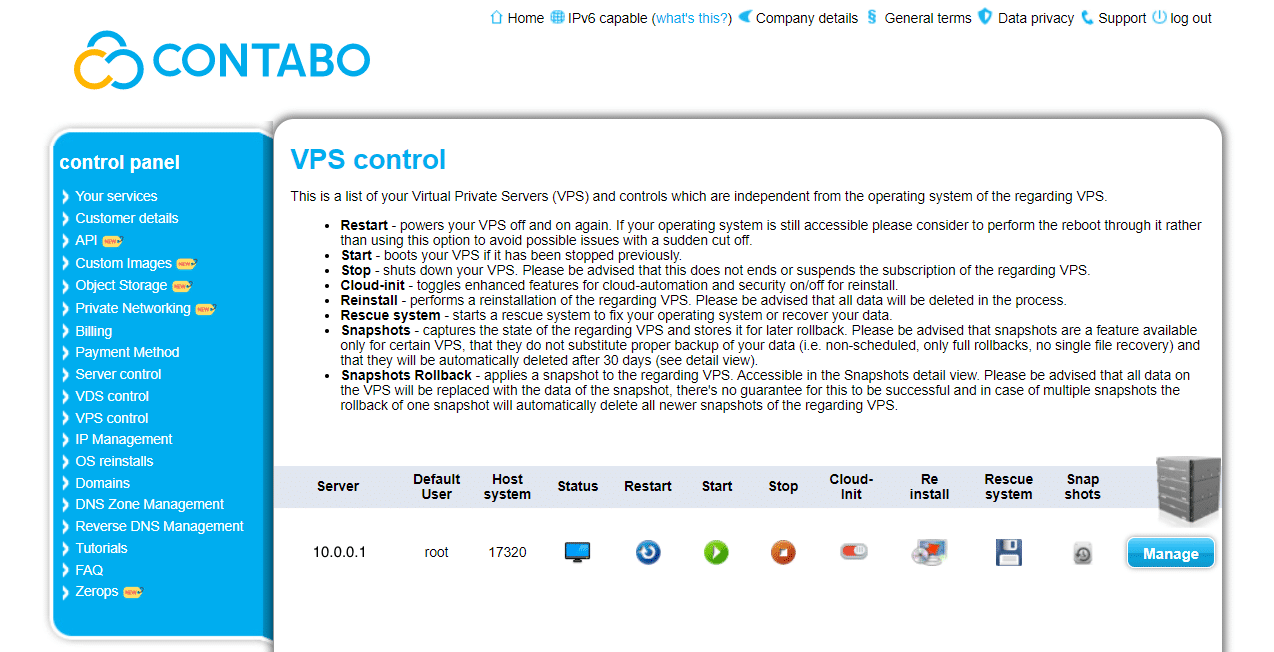
A technically capable platform for experienced users. Supports API access for automation. The control panel prioritizes functionality over simplicity — better suited to sysadmins than beginners.
No 24/7 support. Live chat requires portal login. Phone support runs on German business hours (CET/CEST), inconvenient for North American users. First ticket response: 24–48 hours. Self-service documentation is the primary support mechanism.
4.5/5 on Trustpilot — almost all positive reviews cite value-for-specs as the deciding factor. Negatives: CPU/IO instability under heavy load, slow support, and occasional network fluctuation in some regions.
✅ Pros
- Highest raw specs per dollar in this range
- API access for automated management
- Broad global data center coverage
❌ Cons
- No 24/7 support — prepare to self-manage
- SLA has no compensation clause
- CPU/IO can degrade under heavy sustained load
- EUR pricing creates USD cost variability


Looking for a Contabo alternative with better US-based support, included Windows license, and no EUR currency risk? Read the full Contabo vs VPS Mart comparison →
Cloudzy
Commits to 99.95% uptime. No major outages in our test, but community and Trustpilot discussions flag server interruptions as a recurring complaint. Our test window was insufficient to draw a definitive conclusion — maintain your own backups.
348 pre-configured one-click app deployments (WordPress, Docker, Node.js, cPanel, n8n, and more). Full VPS management panel with start/stop/reboot, OS reinstall, and resource scaling. Supports Plesk and cPanel add-ons.
Claims 24/7 live chat and ticket support, but we found no live chat entry point without logging in first. Guests cannot contact support before registering. Post-login, ticket responses were fast: 10 minutes to 2–3 hours, with direct non-template answers.
Overall positive on pricing, deployment speed, and support responsiveness. Negatives: node stability disputes, IP quality concerns, refund handling issues, and some reliability gaps for demanding workloads.

✅ Pros
- 40 Gbps uplink — outstanding network throughput
- 348+ one-click app deployments
- 15+ global data center locations
- Fast ticket responses post-registration
❌ Cons
- Windows license not included (trial OS only)
- IPv4 costs extra $2.50/mo
- Overage bandwidth can create surprise bills
- Support requires account registration to access
- Trustpilot rating unavailable due to guideline breach


CheapWindowsVPS
Founded 2013. CheapWindowsVPS positions itself as a budget entry point for Windows remote desktop environments, targeting personal users, small projects, and development testing who are searching specifically for cheap Windows VPS options at minimal upfront cost.
Advertises 99.99% uptime, but without an explicit SLA guarantee or compensation terms. In plain terms: it may just be marketing copy. Brief disconnects occurred during testing, but no prolonged downtime.
Simplified approach — primary management is via RDP access. A self-service VPS console is not publicly showcased, meaning basic server control may require contacting support.
Claims 24/7 live chat, but the reality is different: email verification took 5 hours to arrive, and after completing verification, live chat questions received email replies rather than real-time responses. This is not genuinely live chat.
Positioned as a budget entry-level option. Best suited for non-critical workloads where price is the top priority and downtime tolerance is high.
✅ Pros
- Low price point for Windows RDP access
- NVMe storage for faster read/write
- Unmetered bandwidth
❌ Cons
- "Live chat" is actually email-based responses
- No backup service included
- No true self-service VPS management console
- SLA language appears to be marketing, not a guarantee


DigiRDP
99.9% uptime SLA on enterprise-grade infrastructure. Our test saw 2–3 brief disconnects, no extended outages. Deployment was notably fast.
Server provisioning is fast — VPS is typically ready within minutes of ordering. The control panel covers the essential operations: start, stop, reboot, and OS reinstall. Compared to more advanced platforms, it's straightforward and beginner-accessible for basic RDP use cases.
24/7 live chat with real-time responses — typically within 2 minutes. Ticket average under 2 hours. Among the fastest live support in this comparison.
Positive feedback centers on affordable pricing, fast setup, and clean IPs for standard RDP use. Negative reviews flag residential IP quality not matching expectations, proxy/network stability issues, and refund complaints. Service quality appears to vary significantly by product type — standard Windows RDP plans receive better feedback than specialty IP products.

✅ Pros
- 6 vCPU cores — highest CPU count at this RAM tier
- Fast live chat (2-minute response)
- Quick server deployment and activation
- Competitive pricing vs similar spec providers
❌ Cons
- 3.8 Trustpilot score — lowest in this comparison
- Residential IP quality complaints from users
- Refund and support-related negative reviews
- Service quality varies by specific product type


Kamatera
Parent company OMC Group has operated since 1995, making Kamatera the longest-running provider in this comparison. Best fit for users who need hourly billing flexibility or advanced cloud infrastructure. If you're evaluating Kamatera but want a simpler, more affordable setup — see our full Kamatera alternative comparison: Kamatera vs VPS Mart →
99.95% SLA. Our Dallas data center test ran without unexpected restarts or network interruptions. Type A handled light loads well, but CPU climbed quickly under sustained load. Type B was noticeably more stable.
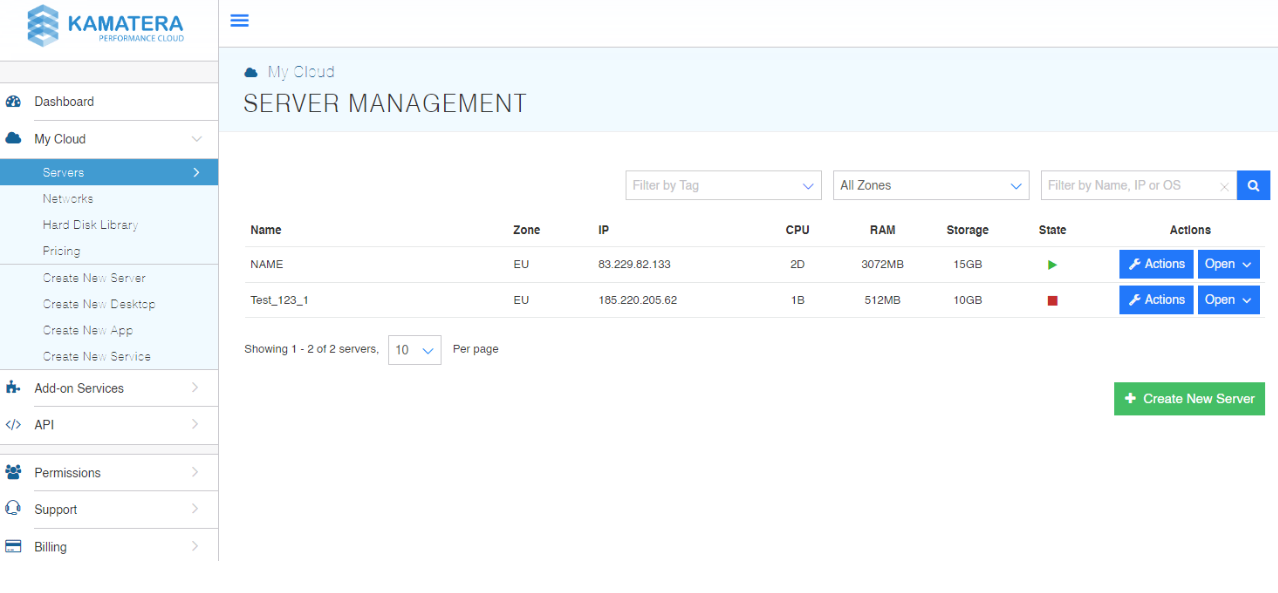
Feature-rich cloud management platform with real-time monitoring, snapshot creation, OS reinstall, and resource scaling. Full API access for automation. More complex for beginners than simpler providers.
Claims 24/7/365 phone, chat, and ticket support. We tested at 2:32 AM US Central time — sent the same simple question three times via live chat. Zero replies. Complex issues may require upgrading to paid managed support.
Positive reviews praise responsive support, easy setup, and infrastructure flexibility. Negative reviews mention billing issues, account verification friction, and IP reputation concerns.
✅ Pros
- Hourly billing — pay only for what you use
- 99.95% SLA from a company operating since 1995
- Full API access and advanced cloud management
- Windows Server 2025 Standard included
❌ Cons
- Most expensive option in this comparison
- Live chat unresponsive during off-hours in our test
- 60 GB NVMe is the smallest storage among reviewed providers
- Complex platform may overwhelm beginners


How to Choose the Right 8GB Windows VPS
Best cheap Windows VPS (USA) → VPS Mart ⭐
Our top VPS recommendation for affordable Windows VPS hosting with 8GB RAM. VPS Mart is the clearest pick if you need a US-hosted Windows VPS 8GB RAM at the lowest all-in price. The operations team has 20+ years of hands-on US data center experience, with nodes in Kansas City and Dallas. In our 1-month test, support was the most responsive of all 7 providers — live chat connects to a human within 5 minutes. Renewal pricing stays the same as sign-up, and the Windows Server license is included. For US-based trading bots, business automation, and remote desktops, this is the strongest cheap VPS 8GB RAM recommendation we can make.
Cheap Europe Windows VPS → Contabo
If your workload benefits from a European location or you want the highest raw specs per dollar, Contabo is a solid choice — but go in with clear expectations. Support runs on German business hours only, first ticket responses can take 24–48 hours, and there is no 24/7 live assistance. Contabo is best for technically confident users who won't need hand-holding. If you are looking for a Contabo alternative with US-based support and a simpler setup, VPS Mart is the natural comparison. See Contabo vs VPS Mart →
Global flexible billing → Kamatera
Kamatera is the only provider in this comparison with true hourly billing and data centers across Europe, North America, Asia, and the Middle East. If you need to spin up a Windows VPS temporarily, run a short-term project, or want the freedom to scale resources without a monthly commitment, Kamatera is the right fit. The parent company OMC Group has operated since 1995. If you're looking for a Kamatera alternative with lower monthly pricing and included Windows license, VPS Mart at $18.99/mo is the most direct comparison. See Kamatera vs VPS Mart →
Ultra-fast network, budget not a concern → Cloudzy
If throughput is your top priority and you don't mind paying a premium, Cloudzy's 40 Gbps uplink is in a different league from every other provider here. Useful for high-frequency data transfer, streaming, or latency-sensitive workloads. Before signing up: confirm the Windows Server license cost separately (the plan ships with a trial OS), budget for the extra $2.50/mo IPv4 fee, and watch your bandwidth usage to avoid overage charges at $0.01/GB.
More CPU cores needed → DigiRDP
DigiRDP is the only provider here offering 6 vCPU cores at the 8GB RAM tier, which can make a difference for multi-threaded rendering, parallel automation tasks, or running several concurrent processes. Live chat support is genuinely fast (2-minute responses in our test). However, the Trustpilot score of 3.8 is the lowest in this comparison, with user complaints around IP quality and refund handling — review recent feedback before committing.
Entry-level RDP on the lowest budget → InterServer or CheapWindowsVPS
If your workload is non-critical and price is the absolute priority, InterServer ($20/mo) offers a full-featured console and mature infrastructure, though support quality varies. CheapWindowsVPS ($28/mo) is even more stripped-back — note that "live chat" is actually async email responses and no backup is included. Neither is recommended for business-critical applications where downtime has real consequences.
Find Your Best Windows VPS Match
Answer 3 quick questions and we'll recommend the right 8GB Windows VPS for your use case.
1 of 3 — What will you primarily use the VPS for?
Common Questions About 8GB Windows VPS
Ready to Start Your Windows VPS?
VPS Mart's 8GB Windows VPS is the strongest all-round value under $20 — Windows license included, no renewal price hikes, and 24-hour free trial with no credit card required.