


Best VPS for MT5: Windows vs Linux Complete Comparison | Performance Tested
Choosing the right VPS for MT5 trading can significantly impact your Expert Advisor (EA) performance and hosting costs. In this comprehensive comparison, we evaluate the best VPS for MT5 to help you decide between Windows and Linux for your trading infrastructure. After running both platforms head-to-head for 72 hours, we found that the optimal VPS for MT5 depends on your specific needs — Windows delivers native compatibility, while Linux offers cost savings for standard EAs.
Considering Linux MT5 for Forex Trading? Read This First
This article is written for traders evaluating MT5 VPS hosting options who want to run MT5 on a Linux VPS to save on Windows Server licensing fees, but have legitimate concerns about compatibility and stability. If you've wondered whether MT5 VPS hosting can reliably run on Linux without Wine issues, EA failures, or constant troubleshooting — you're in the right place to find the best VPS for MT5.
Windows Server licenses add real cost to your trading infrastructure. At $18.99/month versus $12.99/month, that's $72 annually per VPS. For traders running multiple VPS instances, Linux VPS hosting offers compelling savings that directly impact profitability.
Will my EA run correctly? Is Wine stable enough for 24/7 trading? Will I face constant configuration issues? These are legitimate questions. That's why we conducted a 72-hour production test — so you don't have to learn by trial and error with live trading.
We tested both platforms under identical conditions with real EAs, real broker connections, and sustained operation. This article presents our findings so you can make an informed decision about mt5 vps hosting for your trading setup.
Should You Choose Linux or Windows VPS?
Answer these 2 questions to quickly determine which platform suits your needs.
Check your EA documentation or contact the vendor. If your EA requires specific Windows libraries or uses hardware-based activation tied to Windows registry, Wine may not handle this correctly.
Your EA depends on Windows-specific features. Windows VPS ($18.99/mo) eliminates compatibility risk and ensures reliable operation.
Your EA uses standard MQL code. Good sign for Linux compatibility. Let's check your terminal requirements.
Linux VPS requires learning xRDP access and basic troubleshooting. Our pre-configured image minimizes this, but some familiarity helps.
Linux VPS ($12.99/mo) delivers stable performance for 1-3 terminals with standard EAs. $72 annual savings offsets the minimal learning investment.
Windows VPS ($18.99/mo) offers familiar environment with zero learning curve. The extra $6/month buys convenience and peace of mind.
EA Compatibility Checklist
Not sure if your EA will run on Linux? Check each item below to get a personalized compatibility assessment.
💡 Pro tip: If you're unsure about any item, start with a monthly Linux VPS subscription. Test your EA on demo for 24 hours. If it works reliably, you've validated your setup and can commit to annual savings.
Our 72-Hour Test Parameters
Tested: Ubuntu 22.04 + Wine vs Windows Server 2022, with ExpertMACD EA (4 per terminal) on demo accounts. For production: Test your specific EA on demo for 24 hours, monitor 1-2 weeks before live trading, keep terminals ≤3 for stability.
Running MetaTrader 5 Linux: MT5 and Wine Pre-Installed
Linux VPS costs less, but running Linux MT5 and Linux MT4 depends entirely on setup. Here's the difference between DIY and pre-configured environments.
- Manually install Wine, configure WINEPREFIX, resolve DLL dependencies
- Set up desktop environment (Xfce/LXDE) and VNC/X11 forwarding
- Write startup scripts for each MT instance
- Debug Wine update compatibility issues
- Manage separate Wine prefixes per terminal
- Ubuntu 22.04 Desktop + Wine pre-configured for Linux forex trading
- Access via xRDP — same remote desktop experience as Windows RDP
- MT4 and MT5 pre-installed — connect and trade immediately
- Multi-instance tool: 5 terminals in under 3 minutes
- 72-hour test verified: ExpertMACD EA, demo connection, execution working
- Note: Command-line troubleshooting may require basic Linux knowledge
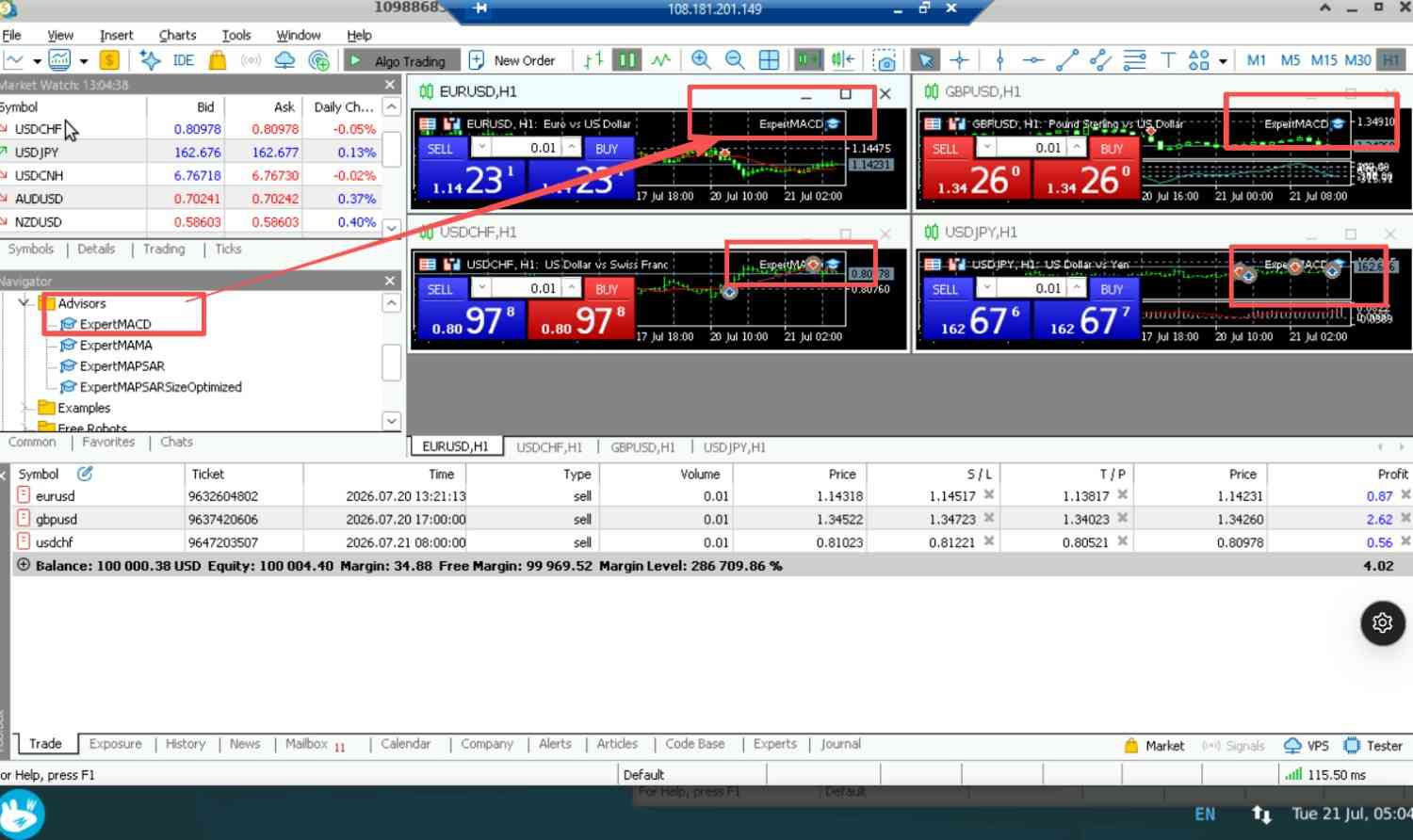
4 ExpertMACD EA instances running on Ubuntu 22.04 + Wine
Standard MQL4/MQL5 EAs work well in our tested environment. EAs that depend on Windows-specific DLLs or proprietary licensing systems tied to Windows hardware may have compatibility issues. If you use a DLL-dependent EA, test it before committing.
Trading VPS Benchmark: 72-Hour Test Results
Same data center (Dallas), same spec (4 vCPU / 8 GB RAM / 140 GB SSD), same EA (ExpertMACD, 4 per terminal). This Trading VPS benchmark test ran July 19–21, 2026, providing real data for your VPS MT5 selection.
| Test Parameter | Windows Server 2022 | Ubuntu 22.04 + Wine |
|---|---|---|
| Stability (72h) | ✓ No disconnections, no downtime | ✓ No disconnections, no downtime |
| Time to Trading | ~40 min — manual MT5 download and setup | ~60 min — auto-deployment with pre-installed MT4/MT5 + Wine. No action needed during deployment. |
| 5-Instance Deployment | 30 min (5 manual downloads) | 3 min (multi-instance tool) |
| EA Load (ExpertMACD) | ✓ Pass | ✓ Pass |
| Idle CPU | 6% | 2% |
| Idle RAM | 1.8 GB | 1.5 GB |
| 3 Terminals + 12 EAs — CPU Usage | 28% | 35% |
| 3 Terminals + 12 EAs — RAM Usage | 2.4 GB | 2.5 GB |
| 5 Terminals + 20 EAs — CPU Usage | 35% | 54% |
| 5 Terminals + 20 EAs — RAM Usage | 2.8 GB | 3.2 GB |
| Monthly Cost | $18.99 | $12.99 |
📖 Getting started with our pre-configured Linux VPS:
Our Ubuntu 22.04 Desktop VPS comes with Wine, MT4, and MT5 pre-installed. This guide covers xRDP connection, launching MetaTrader, and using the multi-instance tool: Quick Start Guide
📸 Idle Resource Usage (No MT5 Running)
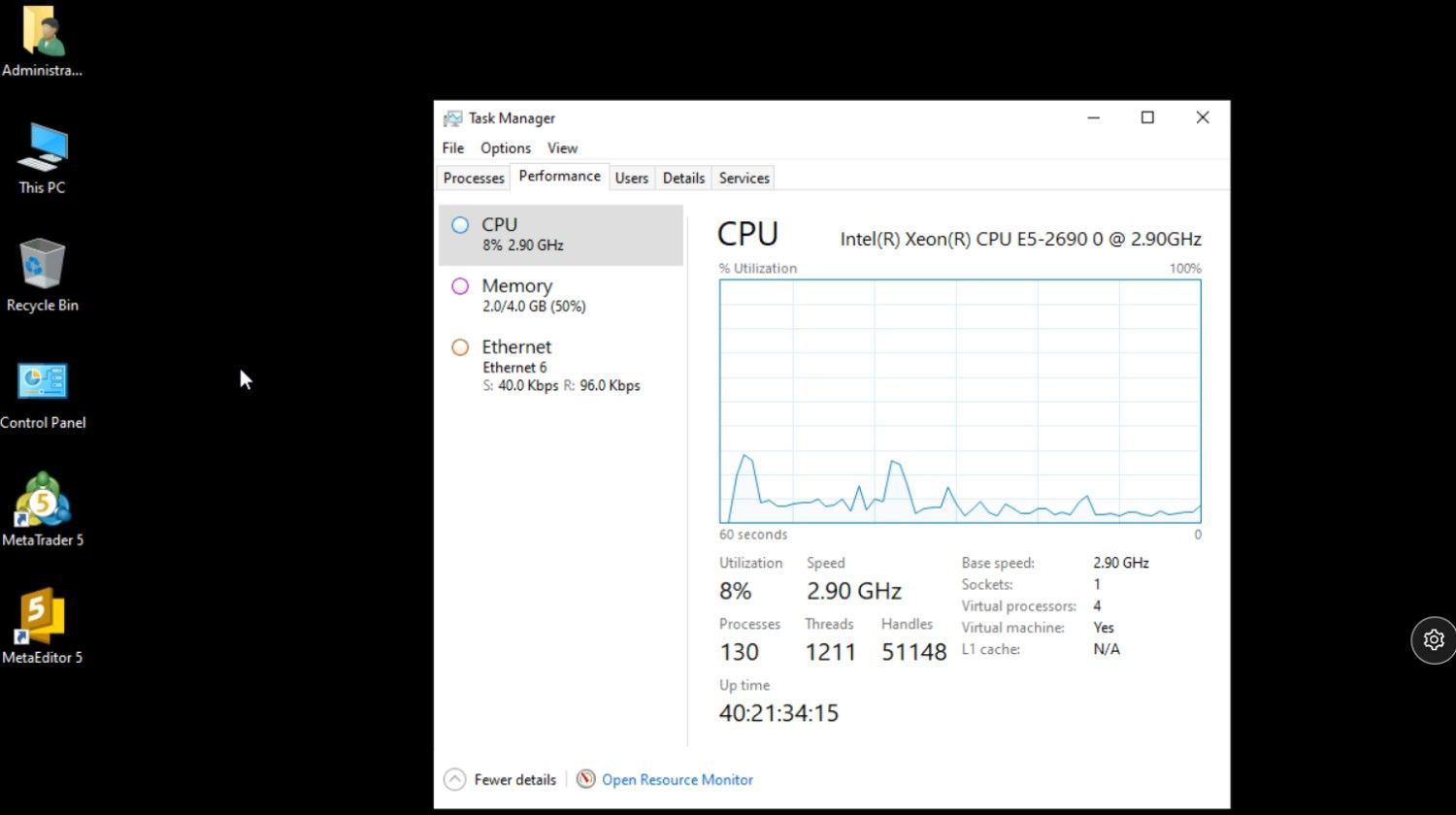
Windows Server 2022 — CPU ~6%, RAM ~1.8 GB
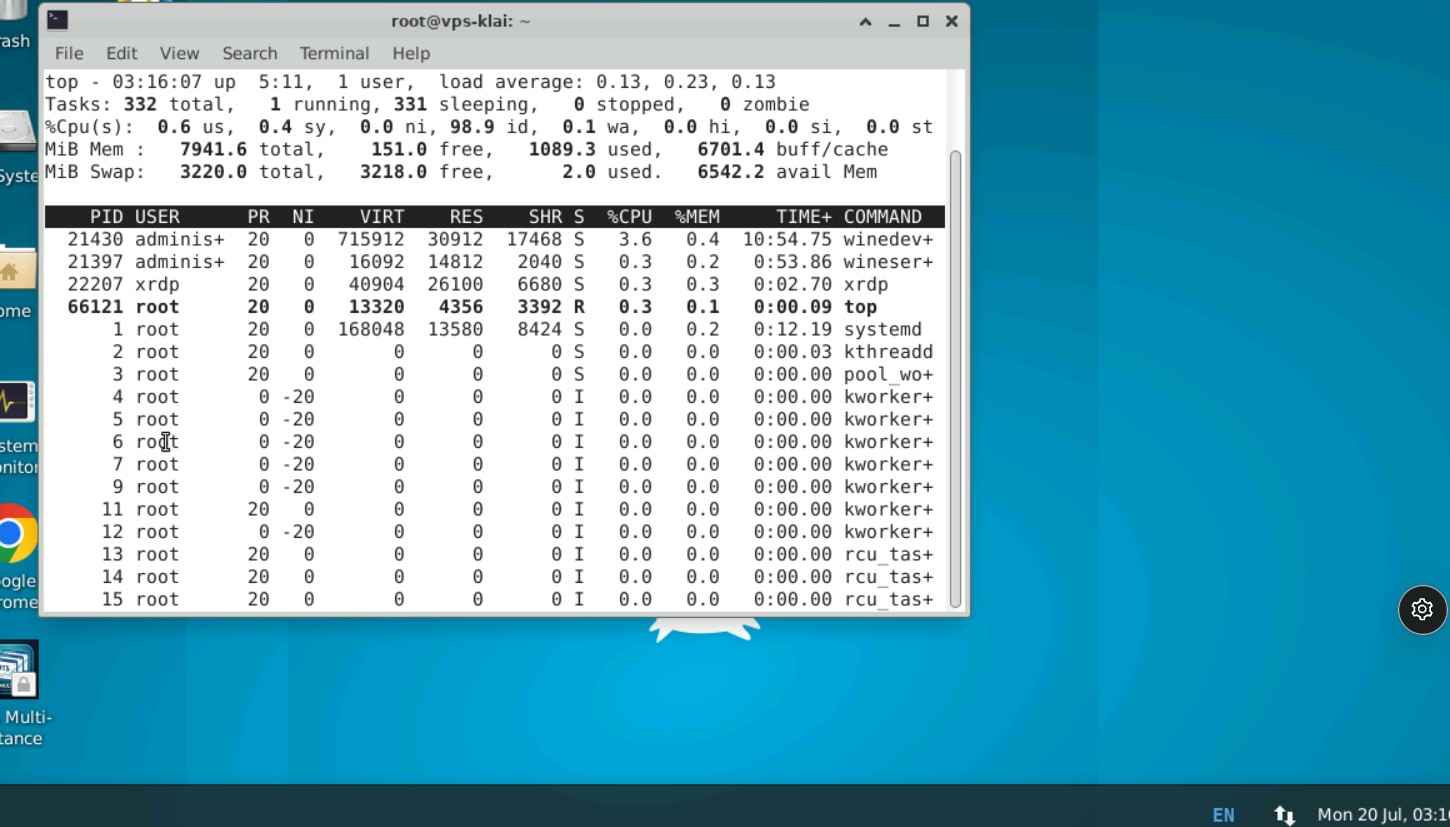
Ubuntu 22.04 Desktop — CPU ~2%, RAM ~1.5 GB
Linux + Wine: Multi-Instance MT5 Resource Analysis
Wine adds a translation layer between your MT5 instances and the Linux kernel. Here's how it affects CPU and RAM.
On a 4-vCPU machine: below 4.0 acceptable, above 4.0 = CPU saturation → EA delays.
Key insight: Wine's CPU overhead becomes critical with more terminals. At 5 terminals, CPU saturates even though RAM is available.
📸 Linux — 3 Terminals
Linux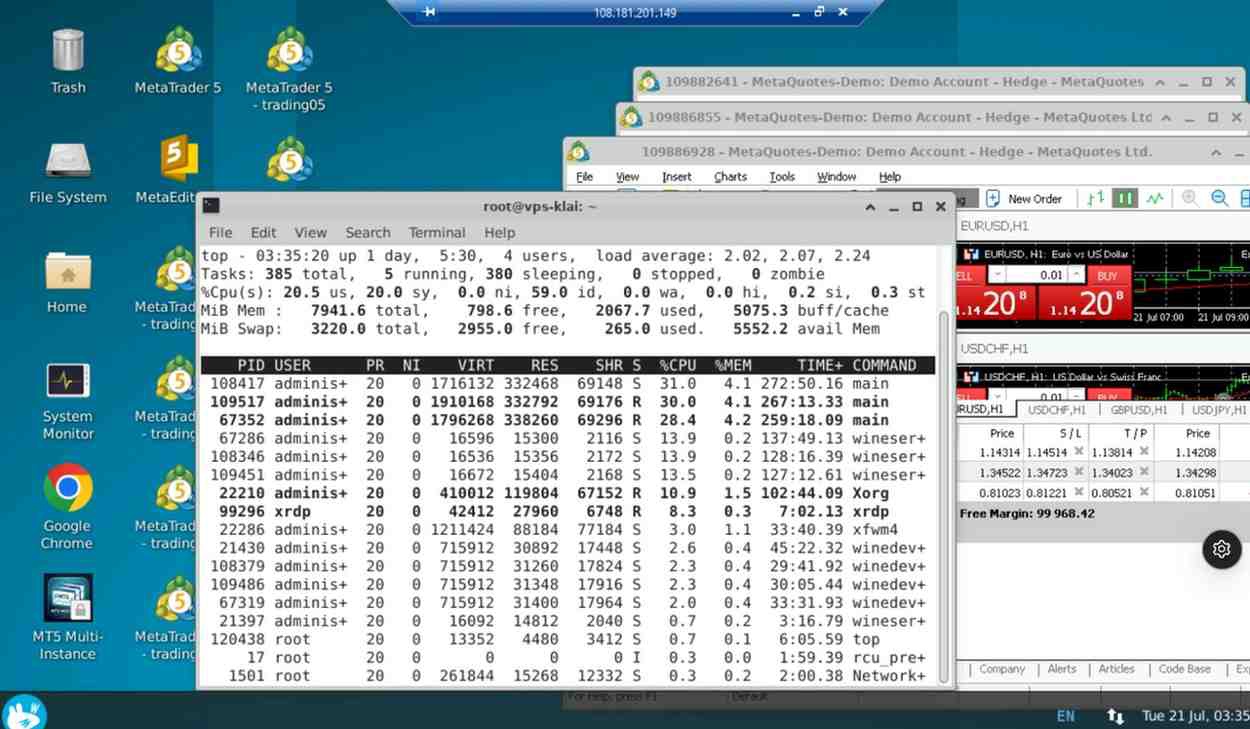
Linux: CPU 35%, RAM 2.5 GB, Load Avg ~2.1 ✓
📸 Linux — 5 Terminals
Linux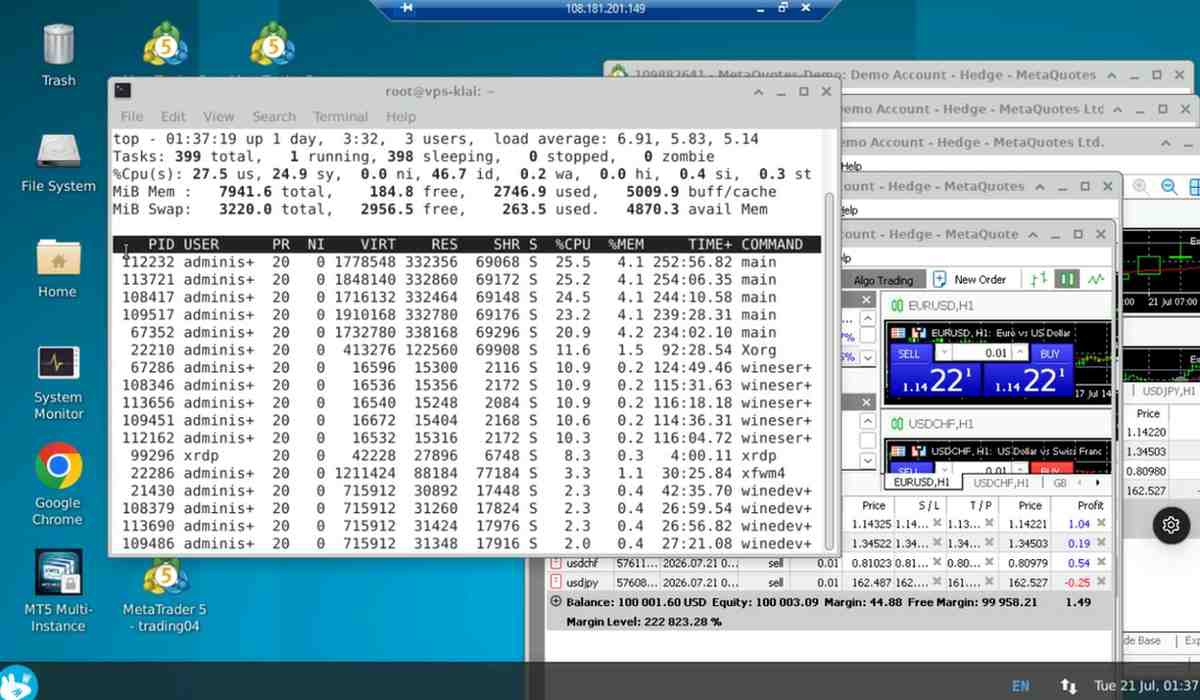
Linux: CPU 54%, RAM 3.2 GB, Load Avg 5.5 ⚠️
📸 Windows — 3 Terminals
Windows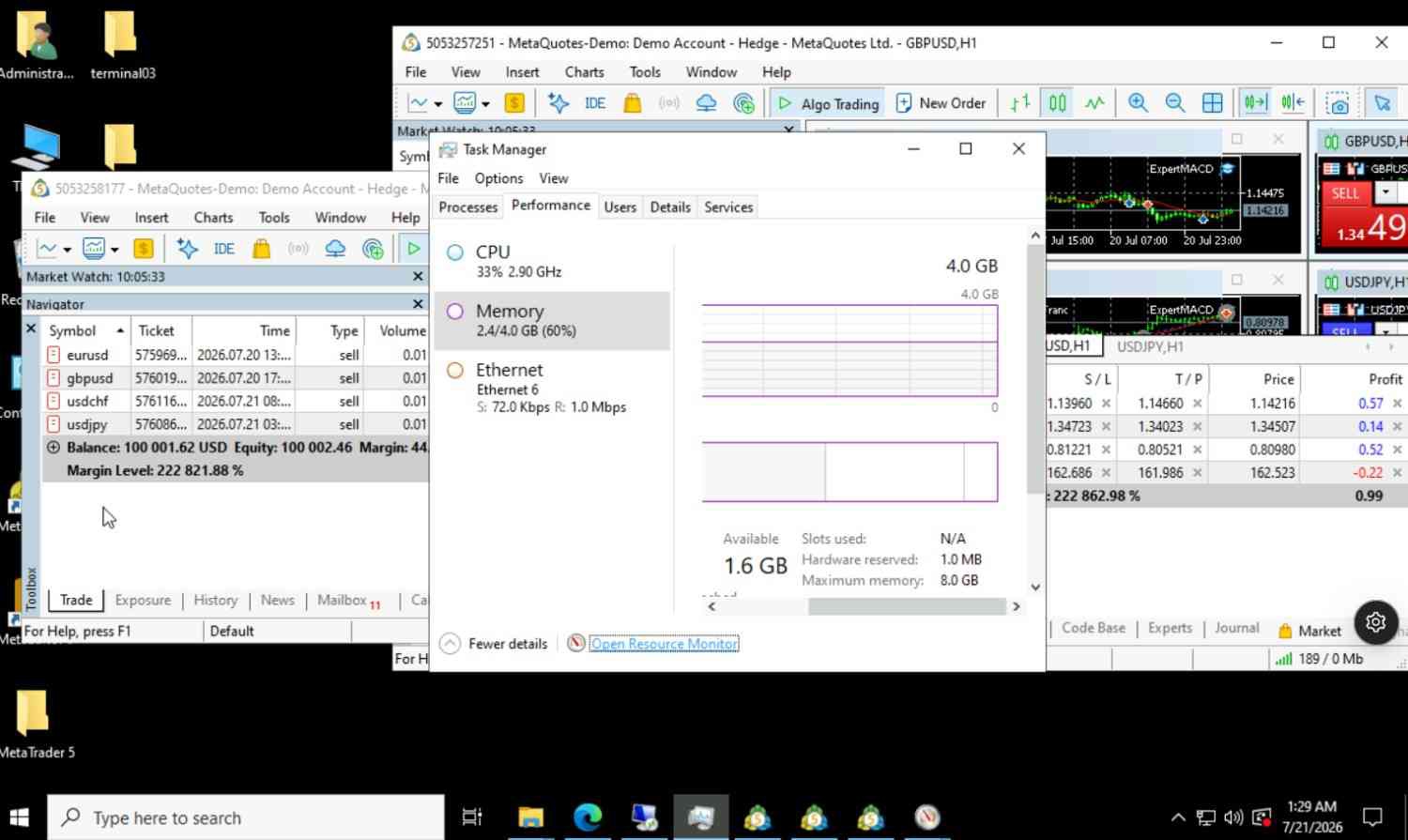
Windows: CPU 28%, RAM 2.4 GB
📸 Windows — 5 Terminals
Windows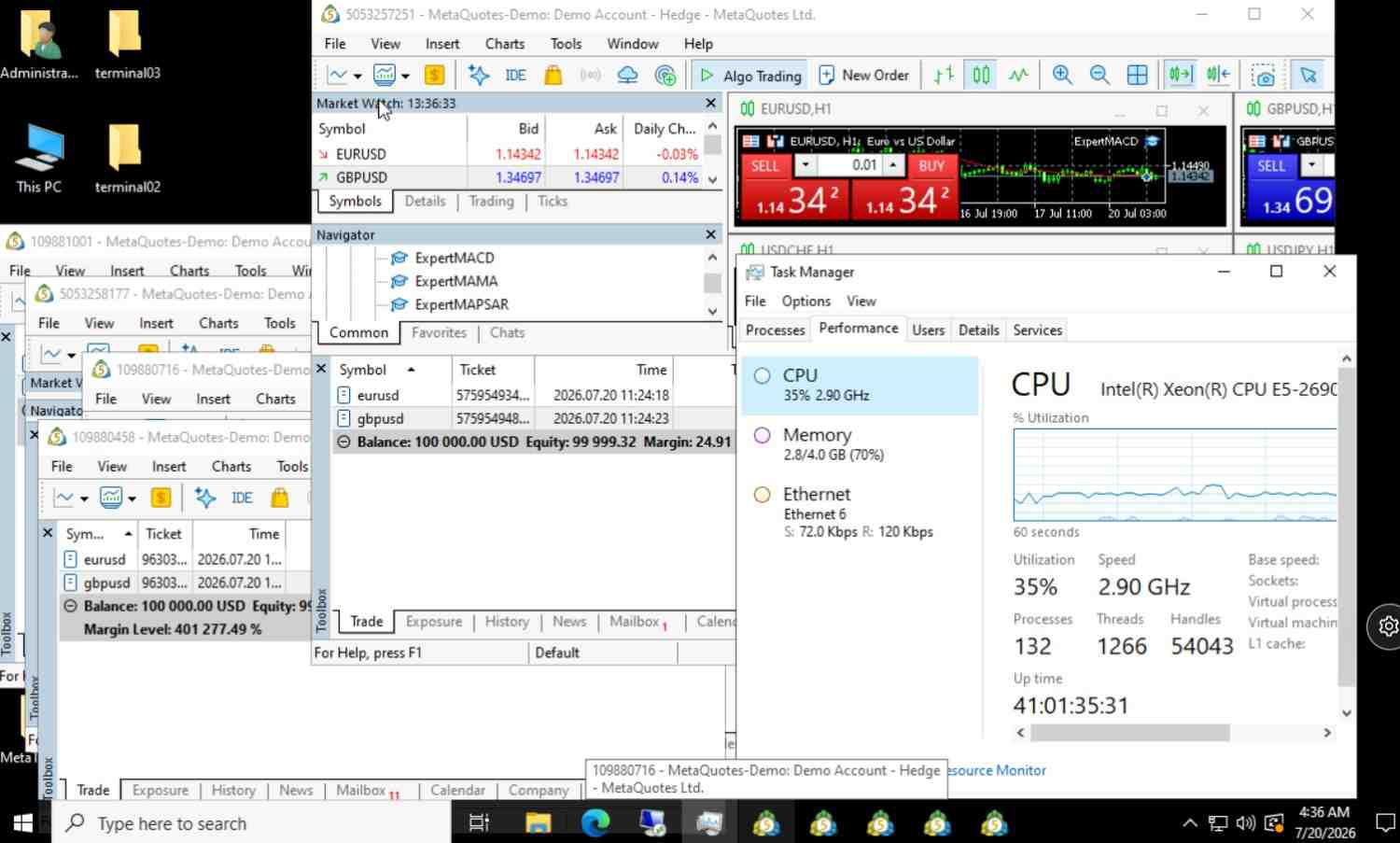
Windows: CPU 35%, RAM 2.8 GB
Under our test conditions (Ubuntu 22.04 + Wine, ExpertMACD EA, demo accounts), standard MQL5 EAs ran without disconnections or EA failures for 72 hours. At 3 terminals with 12 EAs, load averages stayed stable (2.1–2.2).
For your EA: Test on demo for 24 hours before live trading. Different EAs, brokers, or live accounts may yield different results.
For 24/7 Operation: Max 3 Terminals per VPS
MetaTrader accumulates data over weeks. Resources grow beyond our 72-hour test baseline. We recommend maximum 3 MT5 terminals — Windows or Linux — to maintain headroom for cache growth, EA spikes, and system overhead.
Terminal Capacity Calculator for VPS MT5
Estimate how many MT5 terminals your VPS MT5 can reliably run 24/7, based on our test data. Use this MT5 VPS hosting calculator to plan your trading infrastructure.
MT5 consumes more resources than MT4 due to its expanded feature set, multi-threaded architecture, and richer market data handling:
- Baseline RAM (idle MT5 with no charts): ~250-350 MB
- RAM per open chart with indicators: ~40-70 MB additional
- RAM for a typical EA setup (6-10 charts, 1-2 EAs): 600 MB - 1 GB
- RAM for a heavy EA setup (15+ charts, multiple EAs with optimization): 1 - 1.5 GB
- CPU usage: Higher than MT4, especially with multi-threaded EAs and Strategy Tester
- Disk usage: 500 MB - 1 GB per instance
Guideline: For MT5 instances, budget 768 MB to 1.5 GB of RAM per instance depending on EA complexity.
Your config can reliably run 3 terminals with sufficient headroom for long-term 24/7 operation.
Windows or Linux: Final Recommendation for Your VPS MT5
- EA uses Windows-specific DLLs or hardware-tied licensing
- Broker provides Windows-only plugins or bridge connectors
- Need 4–5 terminals long-term with more CPU headroom
- Team prefers familiar Windows environment
- Account value $50,000+ (reliability > small savings)
- Use standard MQL4/MQL5 EAs without Windows DLL dependencies
- Want to save $72/year on your trading VPS
- Comfortable with basic Linux troubleshooting (or willing to learn)
- Run 3 or fewer terminals per VPS
- Account under $50,000 (savings meaningful vs risk)
Common VPS for MT5 Questions
Ready to Choose Your MT5 VPS?
72-hour tested. Both platforms verified.